AI Video · PRACTICAL GUIDE
Generate and revise an AI product demonstration ad
Prepare product references, script physical actions, inspect generated details, and compare revisions without treating a request as a verified fix.
Watch the original tutorial
Open the original video on YouTube ↗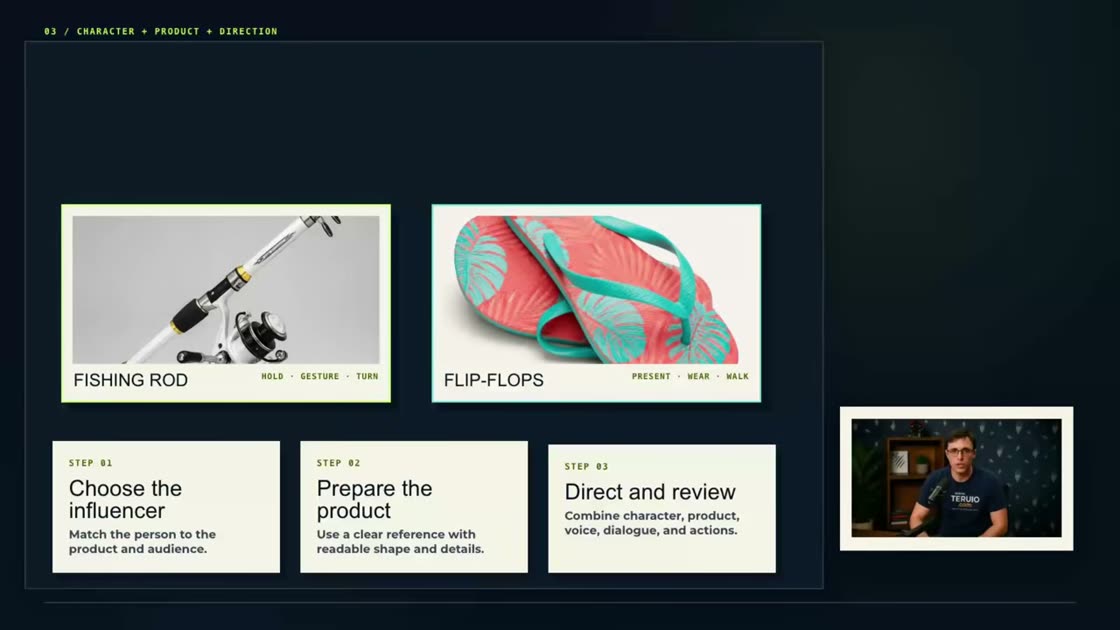
The original demonstration is sponsored by UGCVideo.ai and mentions an affiliate relationship. It creates fishing-equipment and fictional flip-flop examples with synthetic presenters. These are generated advertising scenes, not evidence of a real customer’s experience.
What you’ll learn
Prepare product references, script physical actions, inspect generated details, and compare revisions without treating a request as a verified fix.
Before you start
Set a product reference next to the player. Decide which visual details and spoken claims the finished clip must preserve.
1. Match presenter and product
Choose or create a synthetic character appropriate to the setting and audience. Prepare a clear product reference with visible shape, color, and important details. For real products, compare the reference against the actual item rather than letting image variations redefine its design.
2. Write actions alongside dialogue
Specify mood, environment, framing, camera movement, eye direction, voice, and the action during each line. The video separates holding up the product, interacting with it, and presenting it again. Keep spoken claims supportable and avoid inventing personal experience for a synthetic presenter.
3. Review the first generation
Watch the complete result and compare voice, product shape, hand interaction, movement, and text against the request. The fishing demonstration’s interaction is subtler than requested. Identify the particular issue before changing settings.
4. Compare revisions honestly
The video changes the voice and requests removal of subtitles; subtitles remain. In the flip-flop example, asking the character to hold one item improves the opening interaction, while subtitles still remain. Keep a revision log and choose based on the observed result. Check advertising and synthetic-media disclosure requirements for the destination before publishing.
Practice exercise — Keep a two-pass review log
For a practice product shot, pause the opening, interaction, and closing frames. Record “requested / observed / next change” for each. A request for one flip-flop is testable: count how many appear and check whether the presenter grips the item naturally. Keep subtitles as a separate check so an improved product shot cannot hide an unresolved text issue.
Check your result
Replay the clip muted to inspect hands, product shape, and text. Then listen without looking to check delivery. Keep only the improvements you can see or hear.